
Use Case - Storage Analytics
See every file
you own
Starfish keeps a near-real-time catalog of every file across every storage system, at petabyte scale. Dynamic visualizers summarize any volume or directory tree by username, file extension, or parent path - so the answer arrives as a query, not a scan.
Built for billions of files across heterogeneous storage, where conventional tools are too slow to keep pace or simply do not work.
Catalog & Scan
Ask the catalog, not the file system
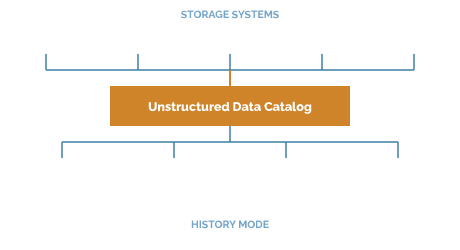
The Starfish Unstructured Data Catalog (UDC) stores file attributes, Tags, and extracted metadata in a high-performance database built to answer questions about file storage at massive scale. Reporting, search, and automation all query the catalog.
Near-real-time catalog
Every file on every storage system, kept current at petabyte scale. Your view is today's, not last quarter's scan.
Parallel Remote Agents
Starfish Agents for Linux and Windows deploy in multiples, each launching multiple threads across large or complex directory trees.
Native Scan Accelerators
Lustre, GPFS, Isilon, Qumulo, HPSS, VAST, and WEKA integrations query the platform's own catalog or changelog instead of crawling.
Storage-agnostic by design
Enterprise NAS, HPC parallel file systems, file servers, S3-style object stores, cloud, and tape - all in one catalog.
Unstructured Data Catalog
See the catalog running on your own data
No synthetic demo. We point Starfish at your environment and show you what is actually in it.
Reports & Visualizers
Answer the questions people actually ask
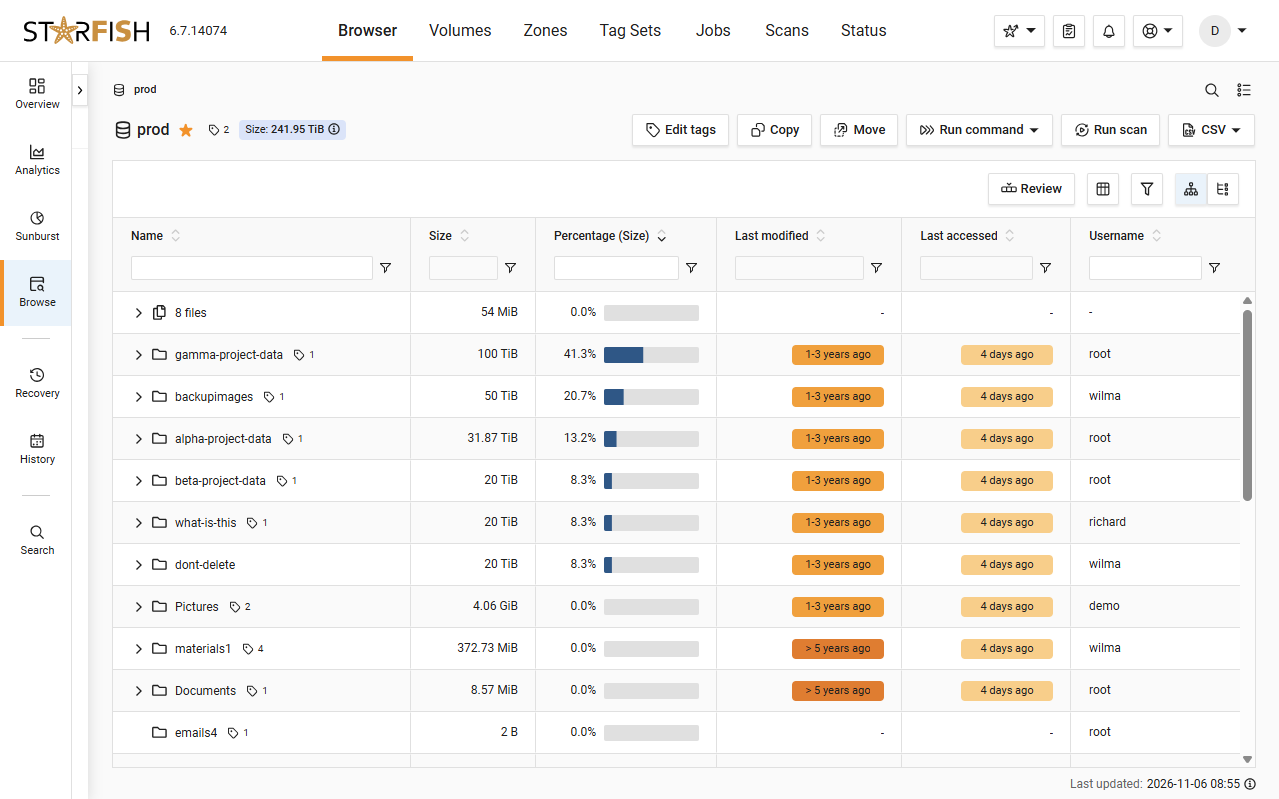
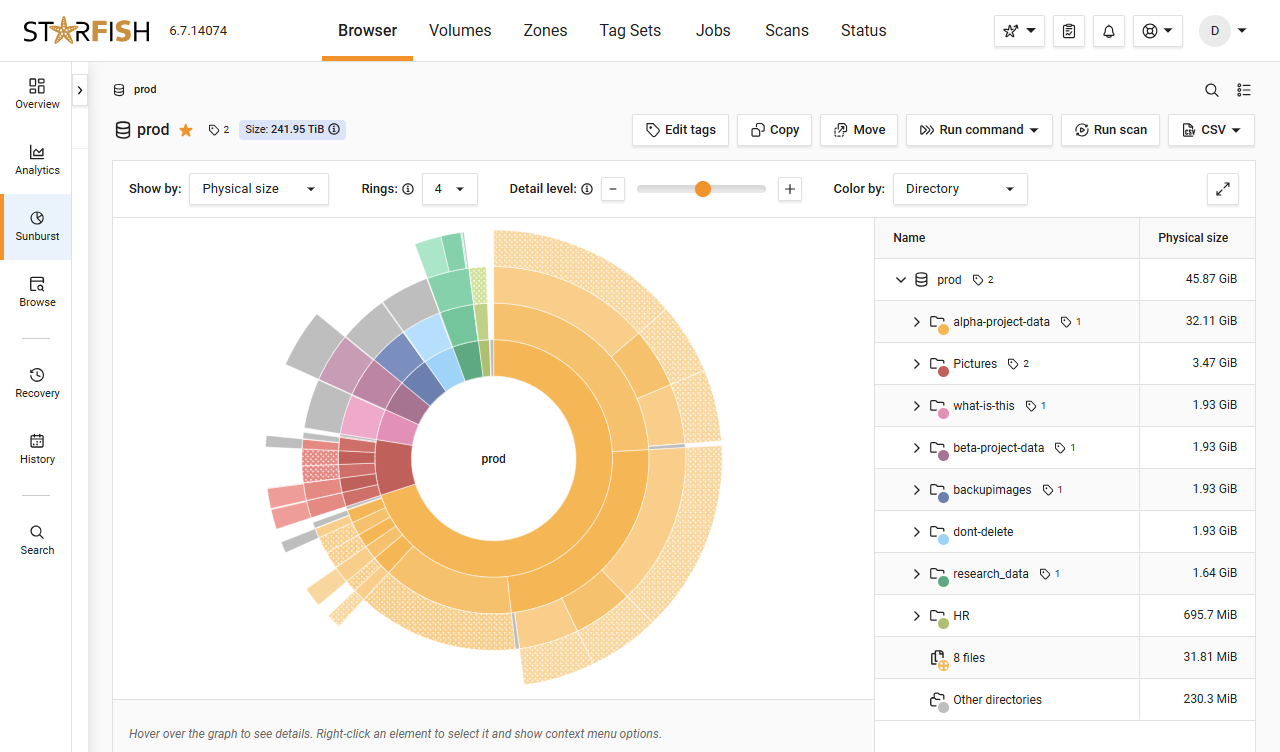
Dynamic visualizers analyze any volume or directory tree with summaries by username, file extension, or parent path. A set of default reports and dashboards comes out of the box, plus self-service creation of custom reports and dashboards.
Default reports out of the box
Monthly storage cost, expected time to full capacity, volume stats, persona views, top-directory, ignored-directory flags and more.
On demand or on a schedule
Reports run when you need them and arrive where you work - by email or in apps like Slack or Teams.
Custom, and shareable
Build your own reports and dashboards and share them with data owners and stakeholders.
Open to your own tools
Third-party systems query the catalog over the REST API and MCP endpoints. The UDC schema is open and SQL-queryable.
History & Anomolies
See what changed, and what is about to break
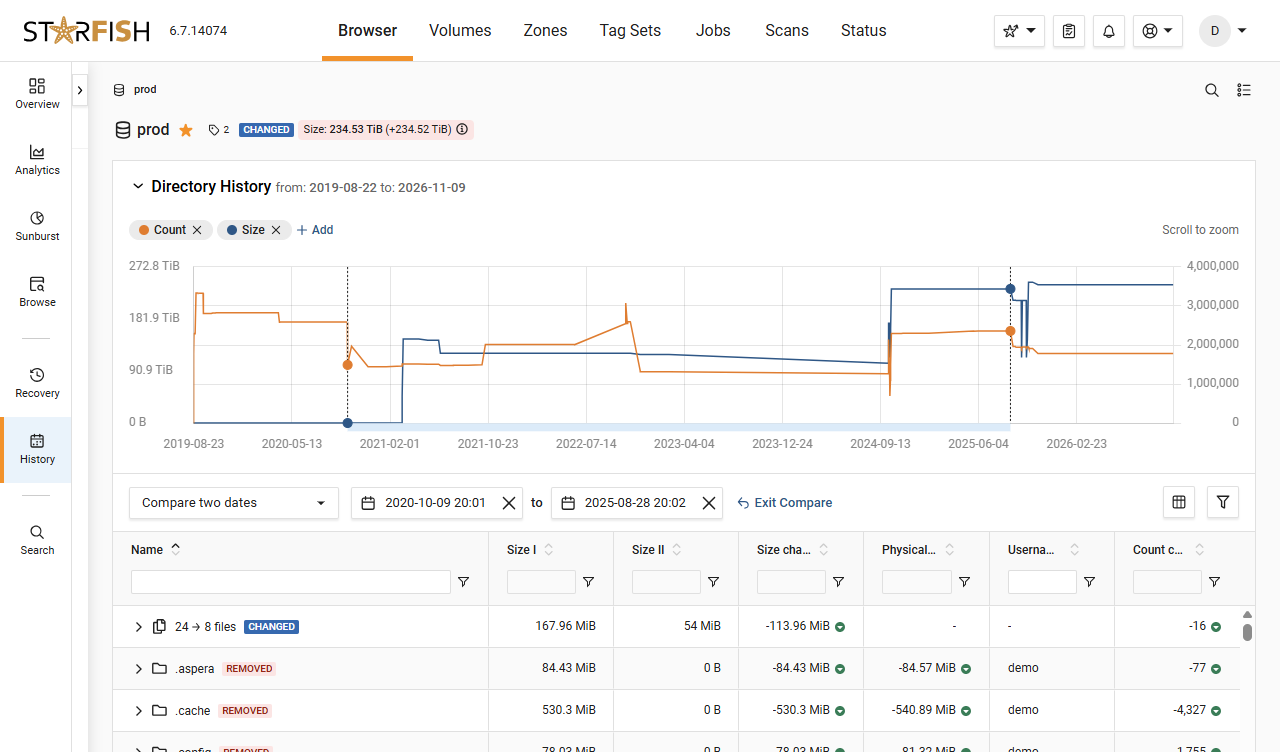
History Mode shows files exactly as they appeared on a past date and compares between points in time. File system and metadata anomaly detection catches problems before they become larger problems.
History Mode
Look at the estate as it was on any past date, then compare two points in time to see what moved.
Anomaly detection
File system and metadata anomalies surface early, while they are still small enough to fix quietly.
Evidence for the budget
On-demand reporting replaces weeks-long manual audits and gives IT a defensible basis for forecasts and budget requests.
Surfaces the ROT
Redundant, obsolete, and trivial data, duplicates, and cold-data candidates - the input to every other initiative.
In Practice
“With Starfish, you rely on metadata and query a database rather than accessing the actual files. That's critical because our environment supports billions of files.”
Raminder Singh, Associate Director, Data Science & Research Facilitation, Harvard FAS RC
Harvard FAS Research Computing
Dig Deeper
Resources for the curious technical reader

Blog
How Starfish Storage delivers daily wins in data management to the University of Utah’s Scientific Computing and Imaging Institute
The University of Utah’s Scientific Computing and Imaging Institute uses Starfish Storage every day to manage a massive research data set, resolve hidden data issues and migrate data without interrupting researchers.
4-min read

Case Study
Harvard FAS Uses Starfish and ColdFront to Gain $1.5M in Chargebacks
The case study details how Harvard FAS utilized Starfish and ColdFront for improved data management. This integration led to the removal of petabytes of legacy data, resulting in $1.5M in grant chargebacks. Learn how this solution provided precise capacity consumption metrics, enhanced billing accuracy, and facilitated ROT cleanup and archiving for cost savings and better data hygiene.
8-min read
Glossary
Get everyone using the same words
Storage admins, data owners, and finance can all say “cold data” and mean three different things. The glossary pins each term to one plain definition.
Quick reference
FAQ
Frequently asked questions
What is storage analytics in a file environment?
It is the ability to answer what files exist, why they are growing, who owns them, how old they are, and what they cost to store - across every storage system, without walking the file system to find out.
How is this different from the reporting my storage vendor ships?
Vendor tools report on the array they came with. Starfish catalogs every file across every vendor and every platform - NAS, HPC parallel file systems, object, cloud, and tape - and answers the same questions identically on all of them.
How current is the data?
Near real time. After the initial scan, Starfish minimizes re-scanning by using changelog parsing, snapshot integration, and native Scan Accelerators, so changes are captured without traversing the file system again.
Does scanning disrupt production?
No. Starfish operates out of band and never sits between users and their storage. Reads can come from storage snapshots rather than live file systems.
Can I get the data into my own systems?
Yes. A REST API underlies everything, a suite of MCP endpoints is available, and the UDC schema is open and SQL-queryable. Harvard built and open-sourced a ColdFront plug-in against it.
How many reports are there?
A set of default reports and dashboards comes out of the box, plus self-service creation of custom reports and dashboards you can share with data owners and stakeholders.
Ready When You Are
Bring us your messiest file system.
We will catalog a sample of your data - not a synthetic demo - and show you what you have actually got.