
Use Case - Archive & Tiering
Tier data as it cools
Starfish classifies files continuously by age, activity, and value, then moves them to local disk, NFS, SMB, S3-compatible object, Azure Blob, GCS, or tape. Data lands in native format on standard targets, so there is no rehydration tax and no exit fee.
Built for estates where manual archiving happens once every few years at best, and is risky when it does.
Policy & Classification
Decide what moves, continuously
Policy-driven classification runs against the catalog by age, activity, and value, or against files aggregated into Collections and projects - so tiering is a standing policy rather than a project that happens every few years.
Continuous, policy-driven
Classification by age, activity, and value runs continuously, so savings compound instead of arriving once per refresh cycle.
Collections and projects
Aggregate files into Zones or projects and move them as a unit, with the business context intact.
Stale trees surfaced
Recursive directory aggregates expose trees that have gone quiet, so candidates find you.
Retention and holds respected
Retention dates and hold flags exclude held files from archive policies automatically.
Starfish Automation Engine
Model the savings on your own data then act
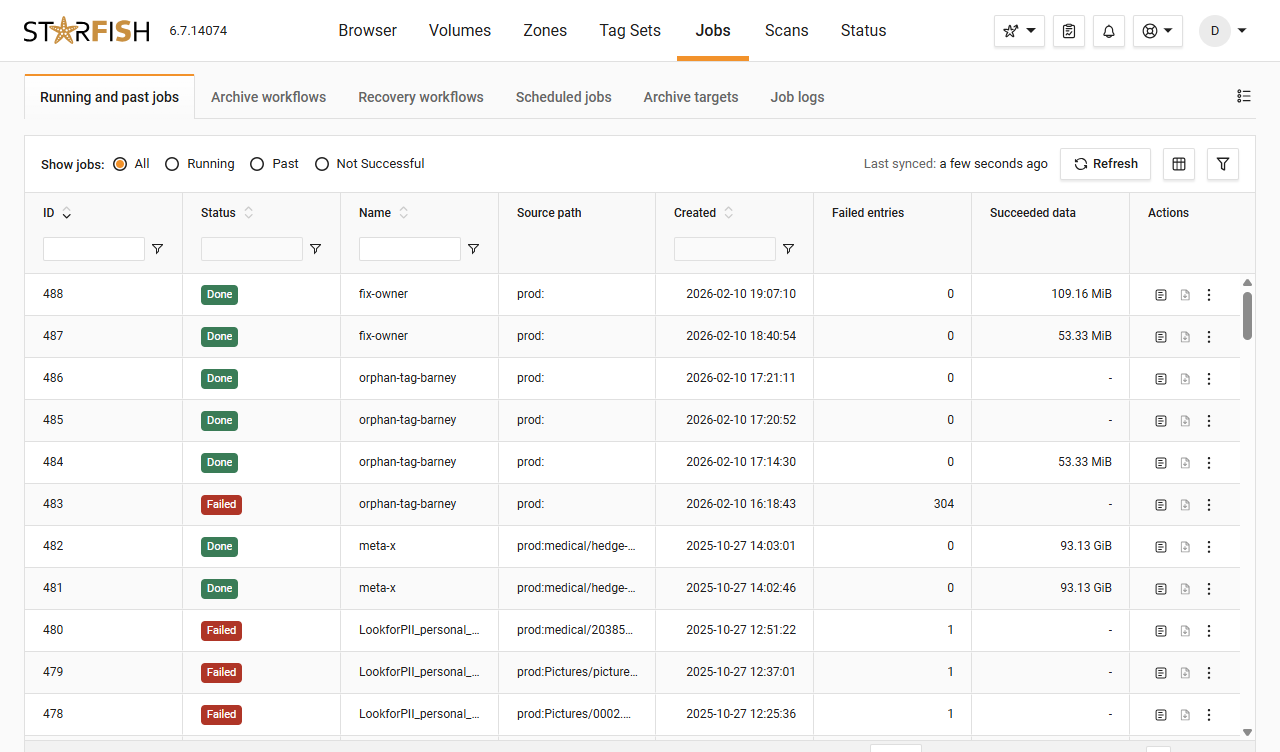
No synthetic demo. Dashboards model archive savings dynamically against your environment, before you move a byte.
Movement & Targets
Any target, native format
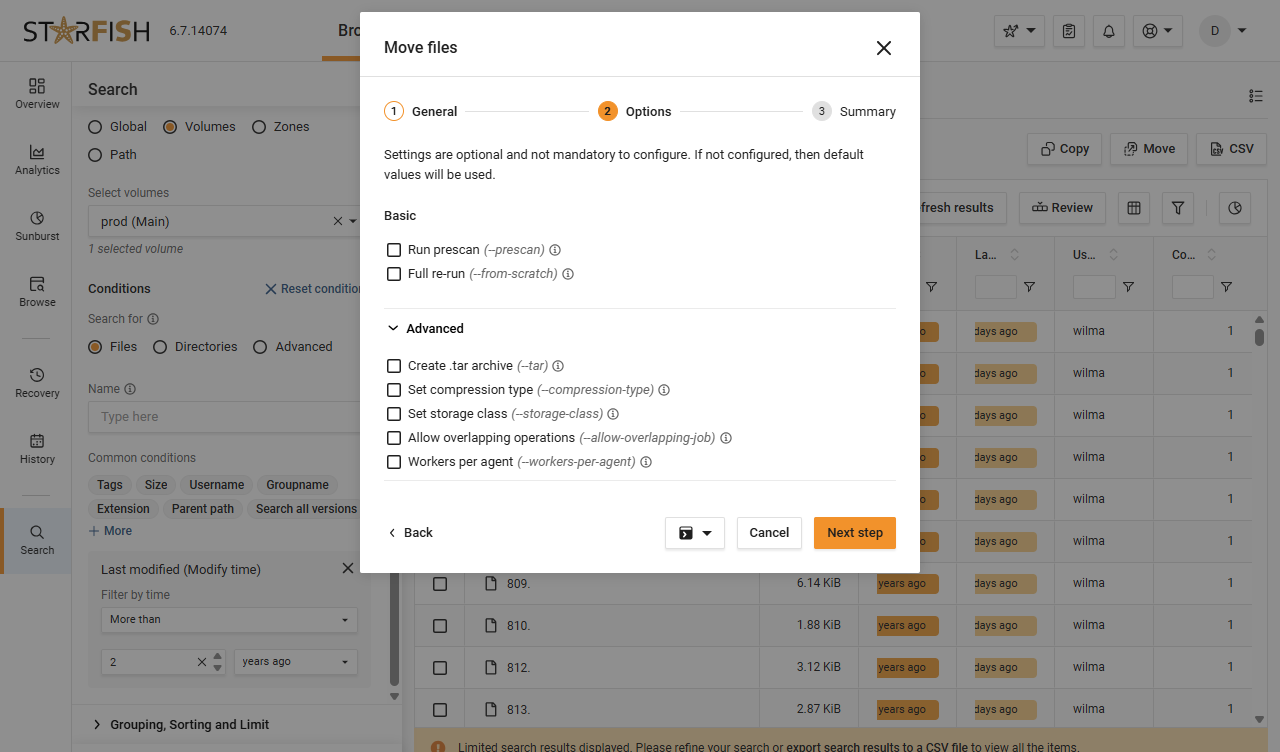
The Starfish Automation Engine moves classified data to local disk, NFS, SMB, S3-compatible object, Azure Blob, GCS, or tape, with multi-tier target support and orchestrated workflows.
Multi-tier targets
Disk, NFS, SMB, S3-compatible object, Azure Blob, GCS, and tape, orchestrated as one workflow.
Protected in transit and at rest
Compression on upload, tarball packing, encryption, checksums, IAM role support, and S3 Express support.
Permissions preserved
POSIX attribute mapping, Windows SID and DACL preservation, and tag pinning travel with the data.
Native format, no exit fee
Archived data lands in native format on standard targets. No proprietary format, no rehydration tax.
Recovery & Proof
Getting it back is the easy part
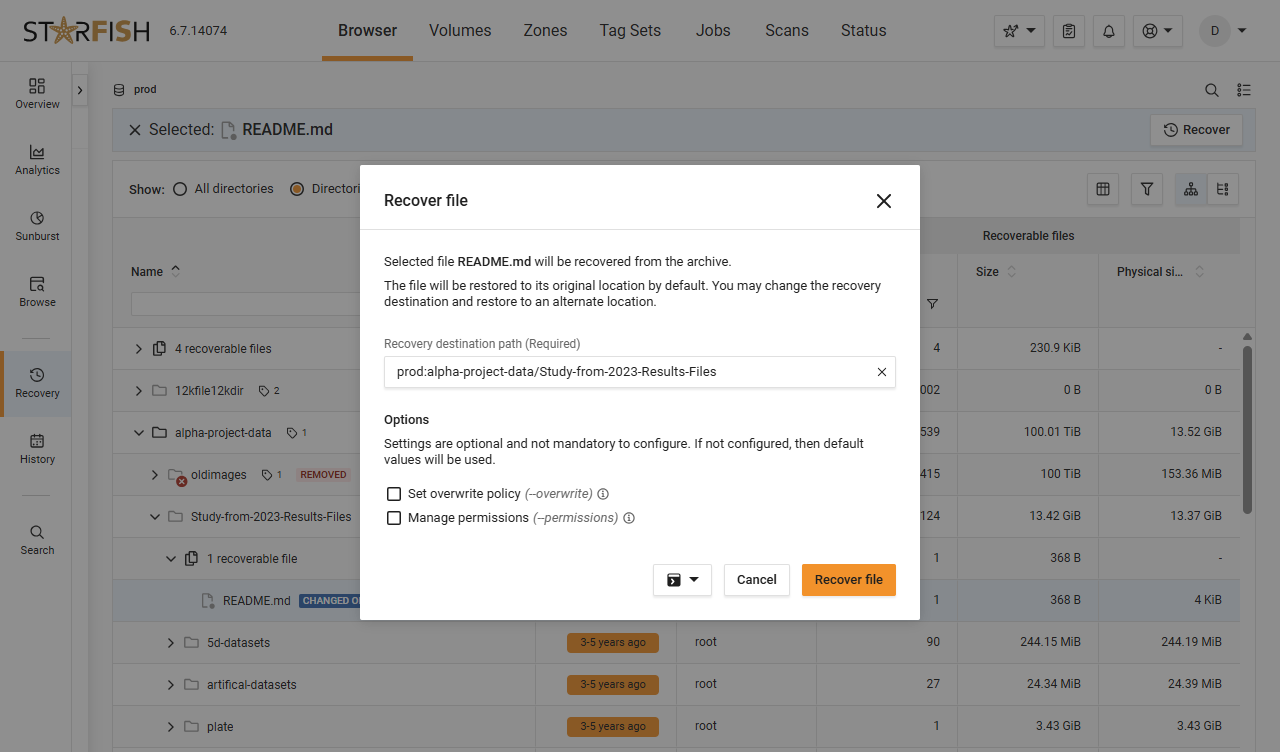
Recovery runs through the GUI or the CLI with version restores and native tape or Glacier rehydration, and Recovery Mode lets ZoneUsers restore their own files without a ticket.
Recovery by GUI or CLI
Version restores, with native tape or Glacier rehydration. Migration controls prevent premature deletion from source.
Users restore their own files
Recovery Mode lets ZoneUsers bring their own data back, which is what keeps confidence in archiving intact.
A manifest left behind
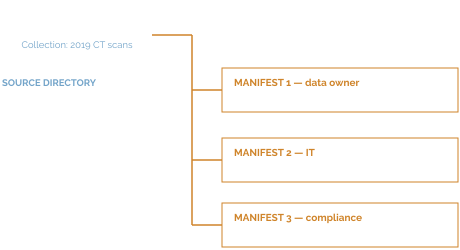
Each workflow can leave a manifest describing who archived it, what it contains, where it went, when, and how to retrieve it.
Compounding savings
Shrinking the active dataset defers primary purchases, and archived data leaves the backup and replication schedule.
In Practice
"Preserving sequencing data is important because experiments can be costly to repeat. A single one of the large sequencing experiments can cost $25,000. If we lose that data, then that's a big loss for us."

April Williams Wehner, PhD,
Core Director for Integrative Genomics and Bioinformatics
Salk Institute for Biological Studies
Dig Deeper
Resources for the curious technical reader

Blog
How ASU scratch storage went from instability to control
ASU used Starfish to help researchers stop using scratch storage for permanent archive and bring storage utilization down to 70%
4-min read

Blog
How Starfish Storage delivers daily wins in data management to the University of Utah’s Scientific Computing and Imaging Institute
The University of Utah’s Scientific Computing and Imaging Institute uses Starfish Storage every day to manage a massive research data set, resolve hidden data issues and migrate data without interrupting researchers.
4-min video
Glossary
Get everyone using the same words
Storage admins, data owners, and finance can all say “cold data” and mean three different things. The glossary pins each term to one plain definition.
Quick reference
FAQ
Frequently asked questions
What is the difference between archiving and tiering here?
Mechanically, very little. Starfish uses the same underlying data movement for move, backup, archive, migrate, replicate, and burst to cloud. What differs is the policy and the metadata attached to the job.
Will users be able to find data after it moves?
Yes. The file stays in the catalog with its full history, Recovery Mode lets ZoneUsers restore their own data, and each workflow can leave a manifest in the directory describing what moved, where it went, and how to get it back.
Does archiving lock us into a proprietary format?
No. Archived and migrated data lands in native form on standard targets. There is no rehydration tax and no exit fee.
Which targets are supported?
Local disk, NFS, SMB, S3-compatible object, Azure Blob, GCS, and tape, with multi-tier target support and fourteen qualified object stores.
What stops a policy from archiving something it should not?
Retention dates and hold flags exclude held files from archive policies, and migration controls prevent premature deletion from the source.
Where do the savings come from?
Primary storage purchases are reduced or deferred because the active dataset shrinks, and backup and replication costs fall because archived data leaves the protection schedule.
Ready When You Are
Show us the volume you keep buying your way out of.
We will model the archive savings on your own data - not a synthetic demo - before anything moves.