
Use Case - Capacity Reclamation
Reclaim capacity
you already own
Starfish finds redundant, obsolete, and trivial data across every volume - duplicates by cryptographic hash, unaccessed trees, orphaned files - then archives, deletes, compresses once the evidence is in.
Built for tier-one capacity filling with data nobody will claim and nobody will authorize deleting.
Find It
Evidence, before anyone talks about deleting
Metadata analysis identifies ROT - redundant, obsolete, and trivial data - across volumes, using statistical and cryptographic hashes including MD5 and SHA1, cross-platform and cross-vendor.
Duplicate detection at scale
Statistical and cryptographic hashing, including MD5 and SHA1, across platforms and vendors - find which files are duplicated most, and where.
The cost of unaccessed data
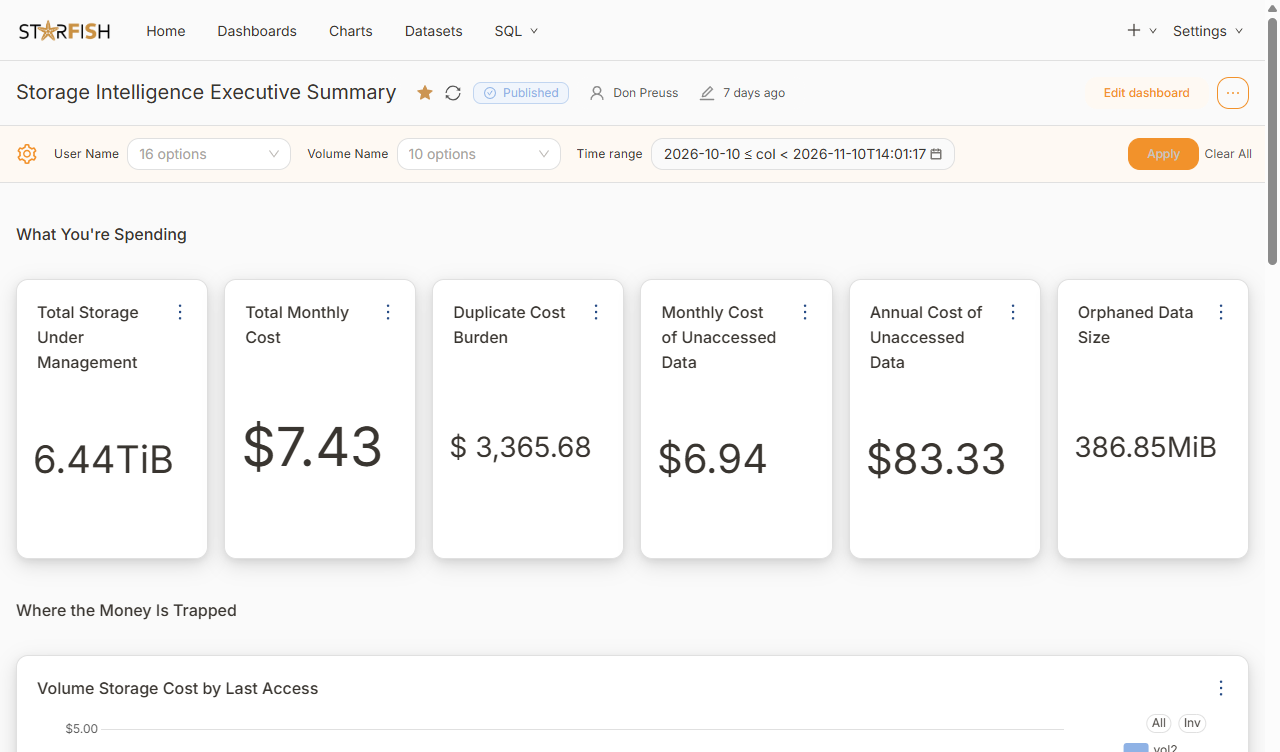
Report the cost burden of files nobody has touched, and the trees where the old data has collected.
Owners worth a conversation
Surface users whose data is 95% unaccessed - the shortest route to a large, willing reclamation.
Orphaned data
Files with no current owner, which is where most cleanup programs quietly stall.
Unstructured Data Catalog
Find out how much of your tier one is ROT
No synthetic demo. We run the analysis on a sample of your own data and show you what came back.
Prove It
Nobody deletes anything on their own
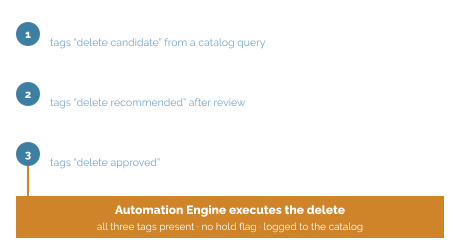
Tags gate approvals. An administrator tags files “delete candidate”, a second user tags them “delete recommended”, and a third tags them “delete approved”. The delete action only runs when all three tags are present.
A three-tag approval gate
Candidate, recommended, approved. The Automation Engine runs the delete only when all three Tags are present.
Snapshot reads
Reads can come from storage snapshots, so hashing an environment does not alter access times or disturb production.
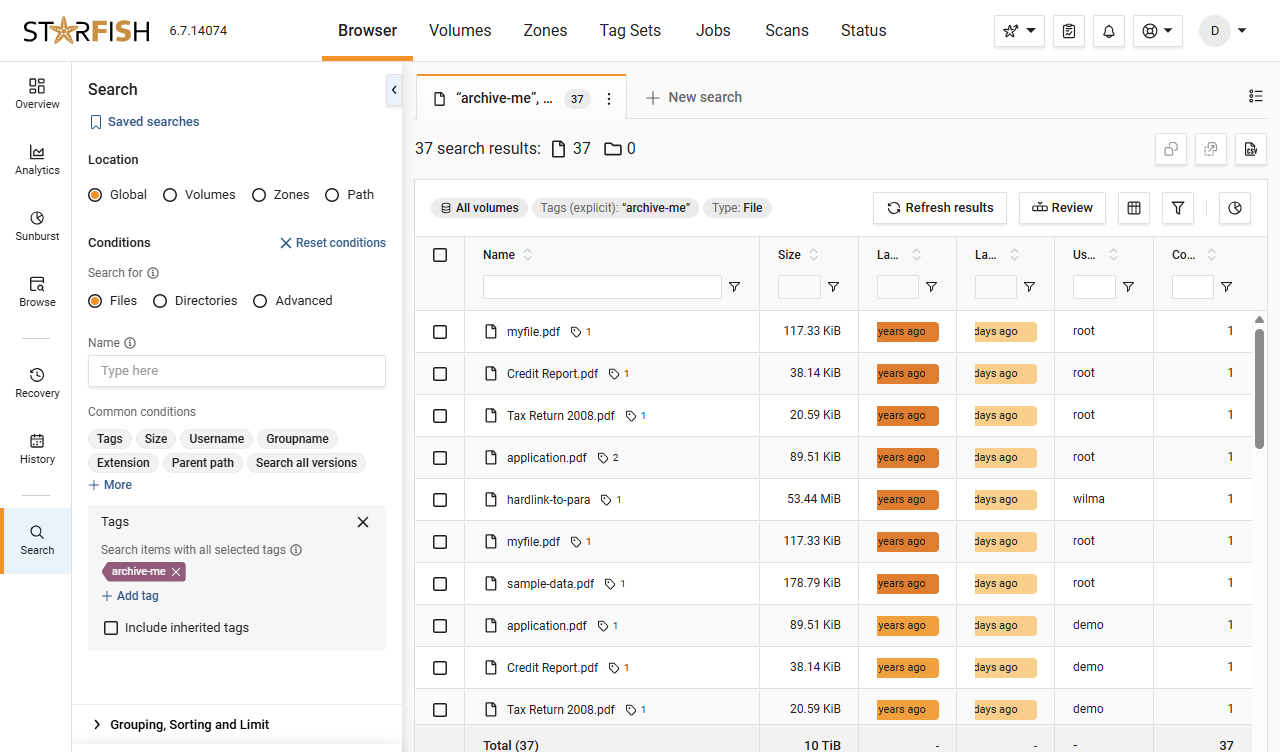
Tags are searchable
Classification is not a label in a spreadsheet. Tags are queryable and drive what happens next.
Written back to the catalog
Every action writes back as key-value metadata describing what was done to the file, so the history is the record.
Act
Then the capacity actually comes back
Once data is identified and tagged, the Starfish Automation Engine executes: archive, delete, compress, without a tree walk.
Archive, delete, compress, report
Four outcomes from one engine, composed as policy and run on a schedule or a trigger.
Tier-one capacity, no new hardware
Freed capacity defers planned refreshes and takes the emergency purchase off the table.
Shorter backup windows
Less capacity to protect means smaller backup windows and lower primary storage cost.
A smaller attack surface
Data you no longer keep cannot be stolen. It is the cheapest security control available.
In Practice
"Surprisingly, there was very little pushback. The warnings, the archive step, and the ability to recover data if needed made all the difference."

Josh Burks, Senior HPC Systems Analyst at ASU Research Computing
Arizona State University, Research Technology Office
Dig Deeper
Resources for the curious technical reader

Blog
How ASU scratch storage went from instability to control
ASU used Starfish to help researchers stop using scratch storage for permanent archive and bring storage utilization down to 70%
4-min read

Blog
How Starfish Storage delivers daily wins in data management to the University of Utah’s Scientific Computing and Imaging Institute
The University of Utah’s Scientific Computing and Imaging Institute uses Starfish Storage every day to manage a massive research data set, resolve hidden data issues and migrate data without interrupting researchers.
4-min video
Glossary
Get everyone using the same words
Storage admins, data owners, and finance can all say “cold data” and mean three different things. The glossary pins each term to one plain definition.
Quick reference
FAQ
Frequently asked questions
What counts as ROT?
Redundant, obsolete, and trivial data: duplicate content, files nobody has accessed in years, orphaned data with no current owner, and trees that have been quietly retained long past their usefulness.
How do you find duplicates across different storage platforms?
By content, using statistical and cryptographic hashes including MD5 and SHA1, cross-platform and cross-vendor - plus reporting on which files are duplicated most and where they live.
Does hashing everything disturb production?
No. Reads can come from storage snapshots rather than live file systems, so hashing an environment does not alter access times.
What stops a mistake from deleting something important?
Tags gate approvals. One user tags files as delete candidates, a second tags them as recommended, a third as approved, and the delete runs only when all three Tags are present.
What happens to the data that is not deleted?
The same engine can archive, compress, or replace duplicates with links, so data that still has value moves somewhere cheaper rather than disappearing.
What is the payoff beyond capacity?
Less capacity to back up, shorter backup windows, deferred refreshes, and a smaller attack surface.
Ready When You Are
Point us at the volume that is always full.
We will find the duplicate, stale, and orphaned data in a sample of your own environment, and show you the evidence.